Blog
How to Make an AI Lyric Video (Without the Editing Headache)
Publicado em 26/04/2026 por Rane
VideoLyric videos used to be a project, and honestly, a bit of a pain in the butt. You'd either hire someone, spend a weekend wrestling with After Effects, or fight with a generic online video editor that technically can make a lyric video the same way it can technically make a wedding invitation — by hammering a square peg into a round hole.
I built SoundMadeSeen because I wanted a different starting point: a tool where the audio is the centre of everything, not an afterthought. That turns out to make a real difference for lyric videos, because a good lyric video isn't really about the lyrics - it's about how the lyrics move with the song. When the visuals are reacting to the beat, the words land. When they're not, you've got a slideshow with text on it.
This post walks through how to make an AI lyric video online with SoundMadeSeen, end to end. If you've got a track and 10 minutes, you've got everything you need.
What you'll need
Three things:
- Your audio file — MP3, WAV, whatever you've got
- Your lyrics — as text, ready to paste in (more on this below)
- About 10 minutes
That's it. No editing experience, no template wrangling, no timeline scrubbing.
Why audio-first matters for lyric videos
Most AI lyric video makers are general-purpose video editors that have added a lyric video template. They work fine, but they treat the audio as a soundtrack — something playing underneath the visuals. The visuals don't know what the song is doing.
SoundMadeSeen works the other way around. The first thing it does when you upload a track is run beat detection across the whole song, so every visual element in the editor knows where the kick drums are, where the drops happen, where the song breathes. Your lyric typography can pulse on the beat. Your effects can fire on cue.
That's the difference between a lyric video that feels designed and one that feels generic. And it's the bit you can't easily fake by adding a "lyric video template" to a generic editor.
Step 1: Upload your track
Pick the music video flow from the dashboard and drop your audio in. Beat detection happens automatically — it usually takes about 30 seconds for a typical song length.
While that's running, you can have your lyrics ready to paste in the next step.
Step 2: Add your lyrics
Here's where I want to be straight with you about how this works, because most "AI lyric video maker" tools are vague about it.
Auto-transcribing lyrics directly from a sung audio track is genuinely hard. Speech-to-text models are trained on speech, and singing — with held notes, harmonies, instrumentation, and creative pronunciation — is a much harder problem. Most tools that claim to do it produce results you'll spend longer fixing than just typing yourself.
What SoundMadeSeen does instead is forced alignment. You paste in the lyrics as text (you've already got them — copy from Genius, your own notes, wherever), and the system aligns them precisely to the audio. You're providing the what; the model figures out the when.
This is much more reliable than open-vocabulary transcription, and the result is lyric timing accurate enough that you don't have to manually sync each line. For most songs, you'll get usable timing on the first pass with maybe a tweak or two on the chorus.
Manual adjustment is one click away if you want to nudge anything — and a recent update made word-level timing edits much faster, which matters more than it sounds when you're polishing a lyric video.
Step 3: Pick a style
This is the bit where the blank canvas problem usually kicks in. You've got your beats and your lyrics — now what should it actually look like?
The Inspire Me button handles this. Click it, pick a mood (chill, energetic, vintage, whatever fits the song), and you'll get a complete starting design - typography, colour palette, background, motion, all matched. From there you can keep going as-is or use it as a starting point and customise from there.
If you'd rather drive yourself, you can pick fonts, colours, and backgrounds manually. Both paths work.
Step 4: Customise the look
A few things worth knowing about for lyric videos specifically:
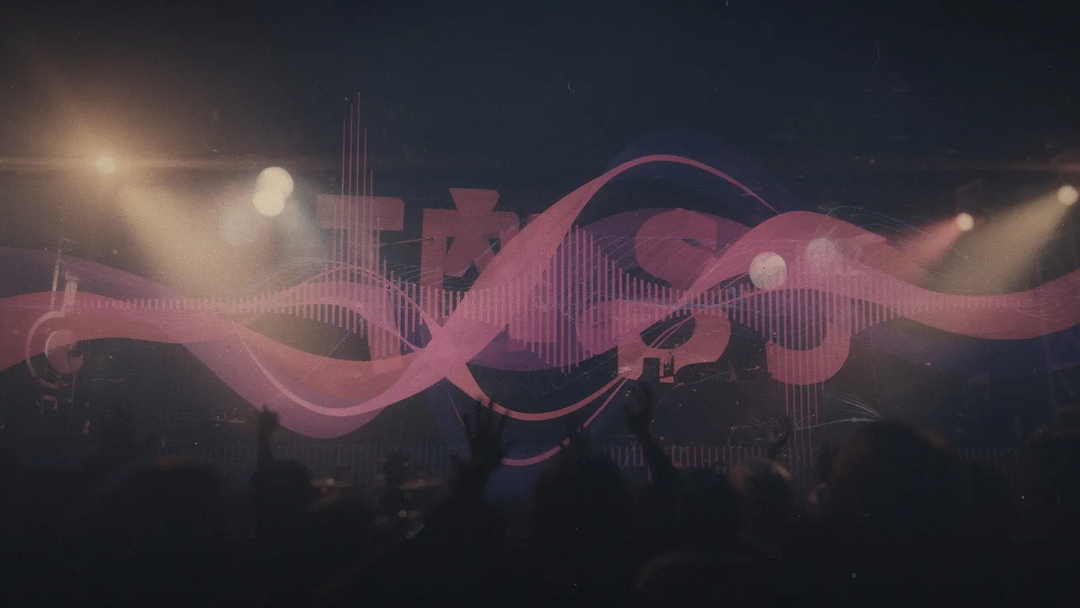
Effects. SoundMadeSeen recently added Vignette, Light Leak, Film Grain, and Film Scratches. These are exactly what you want for a vintage or moody lyric video — they give videos that warm, slightly worn quality that's hard to fake. The film scratches are beat-reactive, which means they pulse with the song rather than just playing on a loop.
Gradient backgrounds. You can use animated gradients as backgrounds, which is one of those small things that makes the difference between a lyric video that looks intentional and one that looks like a placeholder. Soothing, slow-shifting colour washes work beautifully under text.
AI-generated backgrounds. If you want full backgrounds rather than abstract gradients, SMS has image generation built in (Flux 1.1 Pro, Ideogram V3 Turbo, Recraft V4) and video generation (Runway Gen 4.5, Veo 3.1 Fast, Kling V3, Seedance) for moving backdrops. Type a prompt that fits the song's vibe and you've got original artwork in seconds.
Beat-reactive typography. Lyric text can pulse, scale, or shift on the beat. This is the bit most lyric video tools simply can't do, because they don't have the beat data.
Step 5: Export
Render it out, download it, and share - it's that easy.
A note on the free tier: the free Beat Mode tool watermarks the output. The watermark is small and unobtrusive but it's there. Paid plans export clean. I mention this up front because I'd rather you know now than find out at export.
See it in action
Here's a (very simple) lyric video made with SMS:
That whole thing is the workflow above - upload, paste lyrics, pick a style, customise, export.
How SMS compares to other AI lyric video makers
Quick honest take on where SMS fits in the landscape:
- Generic editors with lyric video templates (Kapwing, Veed, CapCut, Adobe Express) — fine if you already use them for other things and just want a serviceable lyric video. Won't give you beat-synced visuals.
- AI video generators with lyric features — often produce abstract AI-generated visuals with lyrics overlaid. Good for one specific aesthetic, weak if you want control.
- Dedicated lyric video tools — usually template-heavy. You pick a template, swap colours, done. Limited room to make it your own.
- SMS — audio-first, beat-aware, with the depth to customise but a guided flow if you'd rather not. Free tier watermarks; paid tier doesn't.
Different tools for different jobs. SMS is the right call if you want the visuals to actually move with the music, and if you want enough control to make it look like yours.
Try it
You can try the music video flow for free. If you've got a track you want to make a lyric video for, you'll know in 10 minutes whether SMS is the tool for you.
If you make something with it, I'd genuinely love to see it - drop a link in the comments or send it through. I read everything.
Rane
Comece a criar de graça
Transforme áudio em vídeos, transcrições e conteúdo para redes sociais em minutos
Experimente hoje