
SoundMadeSeen vs CapCut: different tools for different jobs
CapCut is a powerful general-purpose video editor. SoundMadeSeen is purpose-built for turning audio into video. If your starting point is a recording, podcast or track, here's how they compare.
Try SoundMadeSeen freeFeature comparison
| Feature | SoundMadeSeen | CapCut |
|---|---|---|
| Audio-first workflow | ✓ | ✕ |
| Transcription-driven video | ✓ | ✕ |
| Beat detection & visualisation | ✓ | Syncs cuts to beats |
| Auto subtitles | ✓ | ✓ |
| Audio visualiser | ✓ | Basic presets |
| Text-to-speech | ✓ | ✓ |
| Full video editing suite | ✕ | ✓ |
| Mobile app | ✕ | ✓ |
| Pricing | Free tier + paid plans | Free tier + $19.99/mo Pro |
| Learning curve | Minutes | Hours to days |
Why SoundMadeSeen
Built for audio creators, not video editors
Upload audio, get video
Start with a recording, podcast or track. SoundMadeSeen transcribes it, generates synchronised visuals and exports a ready-to-share video — no timeline editing required.
Beat-driven visuals
Our beat mode detects rhythm in your audio and generates entirely new visual content synced to every beat. CapCut's beat sync only cuts existing footage to tempo.
No editing skills needed
CapCut is a full editing suite with a learning curve to match. SoundMadeSeen gives you a finished video from your audio in minutes, not hours.
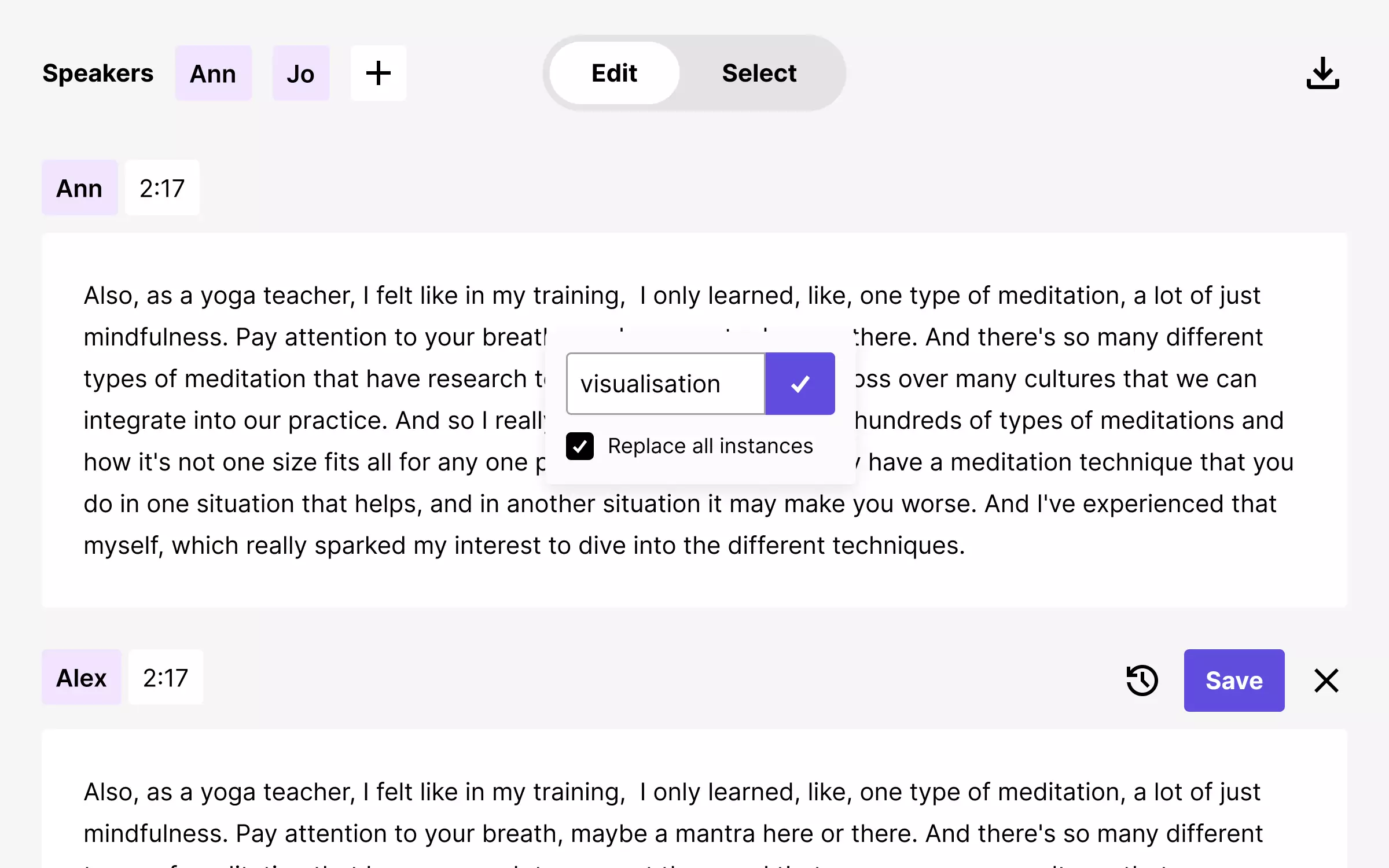
Transcription
Your words become the video
SoundMadeSeen transcribes your audio with word-level timestamps, then uses that transcription to drive the entire video — subtitles, scene changes and animations all stay perfectly in sync. CapCut can add captions, but the video itself is up to you to build.
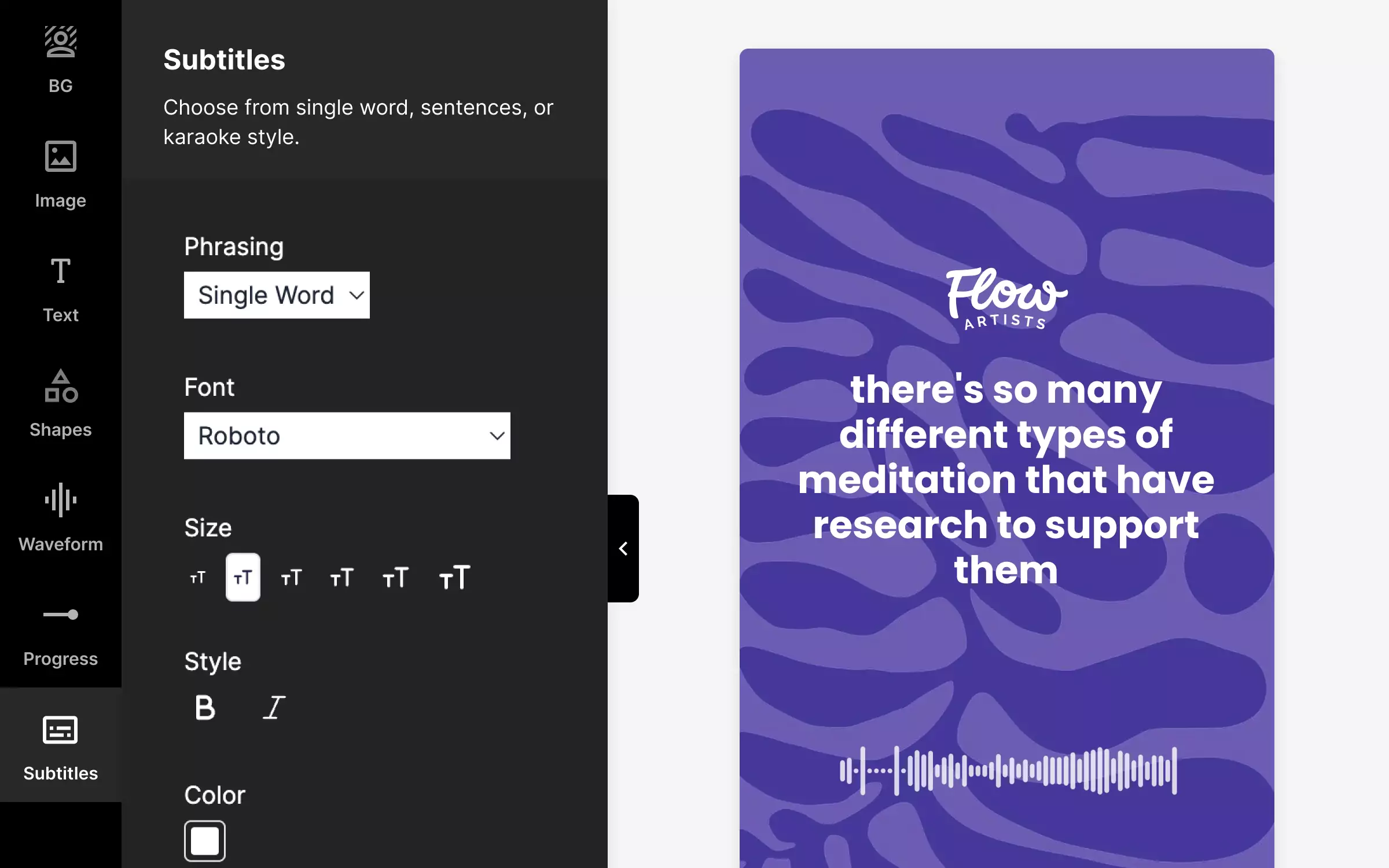
Design editor
Customise without complexity
Choose backgrounds, fonts, colours and layouts in a simple design editor. Your changes apply across every frame automatically. No need to learn keyframes, transitions or multi-track timelines.
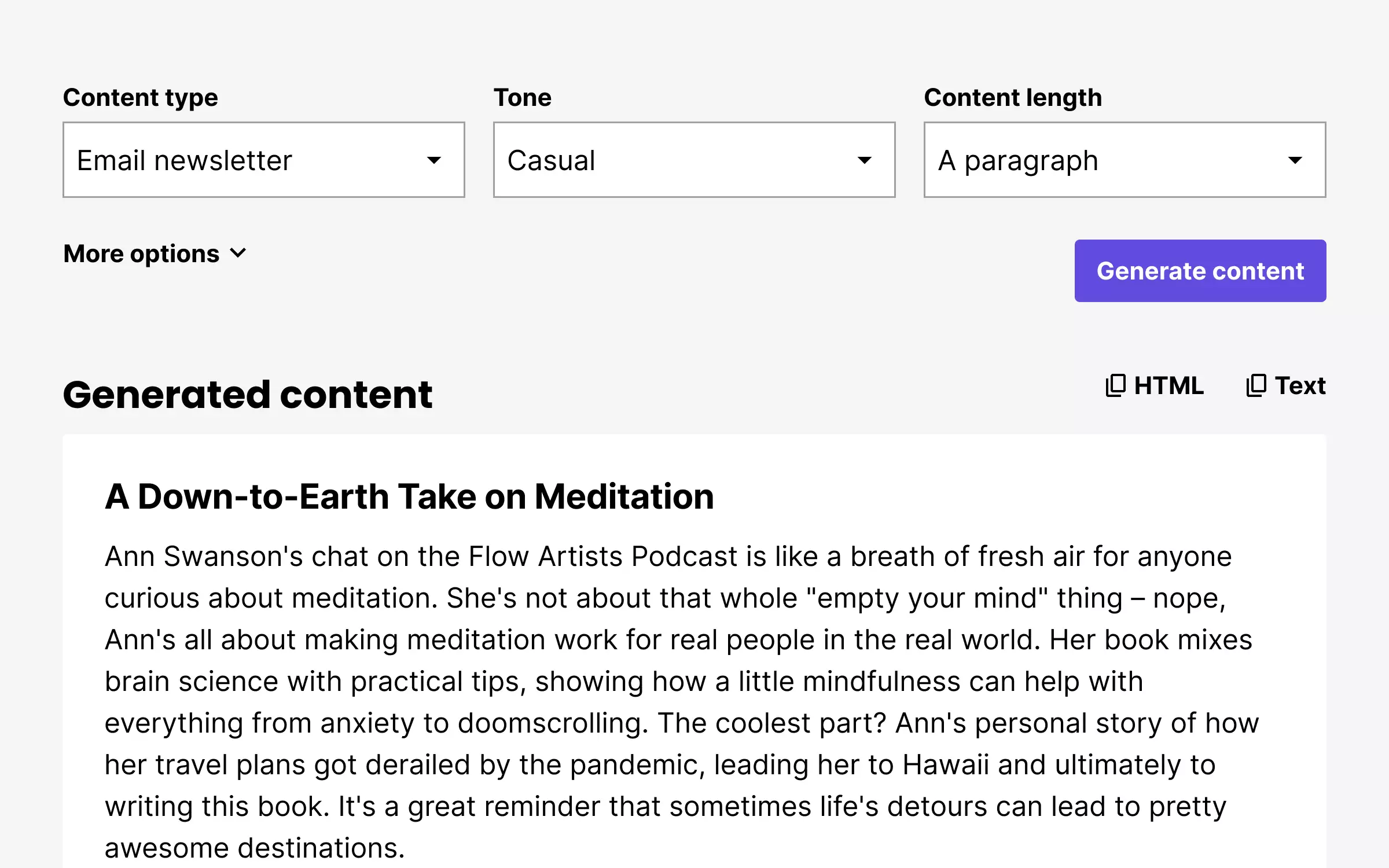
Content repurposing
One recording, multiple outputs
Generate show notes, social posts and blog content alongside your video — all from the same audio file. CapCut focuses on video editing only; repurposing your audio into written content requires separate tools.
When to use which tool
Both are great tools — for different starting points. Here's an honest breakdown.
Choose SoundMadeSeen when you...
- ✓Have a podcast, interview or recording and need video for social media
- ✓Want beat-synced visualiser videos for your music
- ✓Need subtitled video clips from long-form audio
- ✓Want to repurpose audio into video, show notes and social posts at once
- ✓Don't have video editing experience and want results fast
Choose CapCut when you...
- ✓Already have video footage that needs editing
- ✓Need advanced effects like chroma key, stabilisation or keyframes
- ✓Want to edit on your phone with a mobile app
- ✓Need access to a large template and stock footage library
- ✓Are comfortable with a traditional video editing timeline
Start with audio. Finish with video.
Create your first video for free — no editing skills required
Try it today